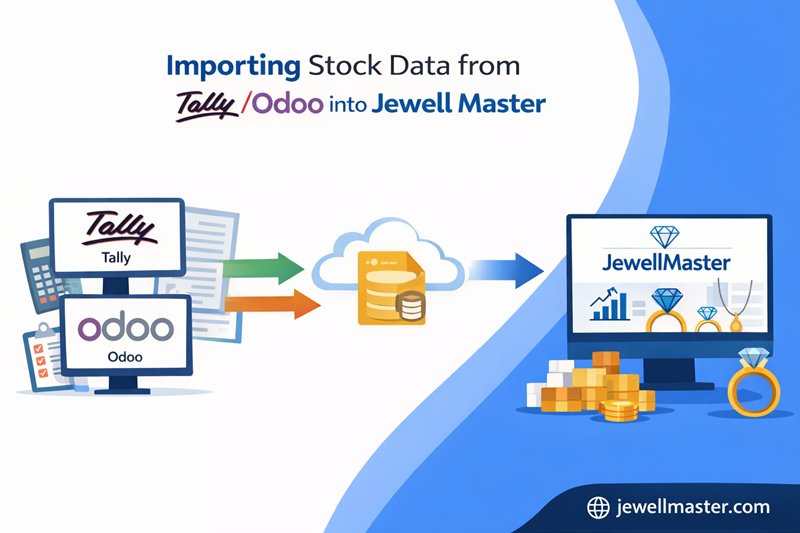
Introduction
Why Jewellery Businesses Need to Migrate Stock Data
Jewellery businesses often begin operations using general
accounting software like Tally or enterprise platforms such as Odoo to manage
their stock records. While these tools are useful for accounting and basic
inventory tracking, they are not specifically designed for the complexities of
jewellery inventory management. Jewellery products involve variable gold
weights, gemstone components, making charges, and serialized product tracking
that traditional systems may not handle efficiently. As businesses grow,
jewellers often migrate to specialized ERP solutions like Jewell Master that
provide advanced features tailored for jewellery retail and manufacturing.
Migrating stock data from Tally or Odoo ensures that businesses can continue
their operations without losing historical inventory information. Jewell Master
provides structured import tools that allow jewellers to transfer product data,
stock balances, and inventory attributes seamlessly into the new system.
Challenges When Migrating Inventory Data from Accounting Software
Migrating stock data between different systems can present
several operational challenges if the process is not handled carefully. One of
the most common issues is inconsistent data formatting. Accounting software may
store product information differently from specialized jewellery ERP systems,
which means product attributes such as weight, purity, gemstone details, or
pricing must be mapped correctly during migration. Another challenge is
maintaining accurate stock balances during the transition process. If the data
import process is incomplete or incorrect, businesses may face discrepancies
between physical stock and recorded inventory. Additionally, manual data
transfer methods can be extremely time-consuming and prone to errors. Jewell
Master addresses these challenges by providing structured templates and
automated import tools that ensure accurate data mapping and reduce the risk of
migration errors.
Preparing Inventory Data Before Migration
Before importing inventory data into Jewell Master,
jewellery businesses must prepare their existing stock records to ensure a
smooth migration process. This preparation involves organizing product data
into standardized formats that can be easily imported into the new system.
Product information such as item name, category, gold weight, gemstone details,
and pricing must be verified for accuracy. Businesses should also reconcile
their current stock balances with physical inventory to eliminate discrepancies
before the migration begins. Cleaning and verifying the existing data ensure
that the new ERP system starts with accurate records. Jewell Master provides
predefined data templates that help jewellers structure their inventory data
correctly for the import process.
Step by Step Process for Importing Data from Tally or Odoo
Jewell Master simplifies data migration by providing
structured workflows for importing stock information from external systems. The
first step is exporting inventory data from the existing platform, such as
Tally or Odoo, into a compatible format like Excel or CSV. Once the data is
exported, it must be mapped to the corresponding fields within the Jewell
Master system. This includes mapping product identifiers, stock quantities,
weight details, and pricing attributes. After the data is formatted according to
the Jewell Master import template, it can be uploaded into the system using the
inventory import tool. The system then validates the data to ensure that all
required fields are correctly filled. Once validated, the inventory records are
imported into the database and become immediately available for operational
use.
Ensuring Accurate Product Categorization After Import
Proper product categorization is essential for maintaining
organized inventory records within a jewellery ERP system. During the migration
process, product categories such as rings, necklaces, bracelets, gemstones, and
loose stones must be mapped correctly to the corresponding categories in Jewell
Master. Accurate categorization ensures that inventory reports, billing
processes, and analytics tools function correctly after the migration is
completed. Jewell Master allows jewellers to create structured product
categories and assign imported inventory items to the appropriate
classifications. This organized structure helps businesses maintain clear
inventory visibility and simplifies product management across different
jewellery collections.
Maintaining Inventory Accuracy During Migration
Inventory accuracy is critical during the data migration
process because any discrepancies between physical stock and digital records
can create operational issues. Jewell Master includes validation mechanisms
that check imported data for missing fields, incorrect values, or duplicate
entries. These validation tools ensure that only accurate and verified records
are added to the system. Jewellery businesses can also perform stock
verification after the import process to confirm that the system inventory matches
the actual physical stock available in the store or warehouse. Maintaining
strict validation procedures during migration ensures a smooth transition to
the new ERP platform.
Key Advantages of Migrating Inventory to Jewell Master
• Seamless data migration from Tally or Odoo
• Accurate mapping of jewellery product attributes
• Real-time inventory tracking after migration
• Structured product categorization and management
• Reduced risk of data entry errors
• Improved reporting and analytics capabilities
• Scalable inventory management for growing businesses
Inventory Management in Tally/Odoo vs Jewell Master
|
Feature |
Tally /
Odoo |
Jewell
Master ERP |
|
Jewellery-Specific
Features |
Limited |
Fully
specialized |
|
Serialized
Product Tracking |
Limited
support |
Built-in |
|
Gold &
Gemstone Management |
Basic
tracking |
Detailed
component tracking |
|
Inventory
Reporting |
Generic
reports |
Advanced
analytics |
|
Manufacturing
Integration |
Limited |
Fully
integrated |
|
Complex setup |
Centralized
management |
Operational Benefits After Migrating to Jewell Master
|
Business
Area |
Before
Migration |
After
Using Jewell Master |
|
Inventory
Visibility |
Limited |
Complete
real-time visibility |
|
Stock
Accuracy |
Frequent
mismatches |
Highly
accurate |
|
Product
Tracking |
Basic
inventory records |
Serialized
tracking |
|
Reporting
Capability |
Limited
analytics |
Detailed
business insights |
|
Operational
Efficiency |
Manual
processes |
Automated
workflows |
How Jewell Master Simplifies ERP Migration
Migrating inventory systems can often seem intimidating for jewellery retailers, especially when dealing with thousands of products and complex product attributes. Jewell Master simplifies this transition by providing guided migration tools and structured data import templates. The system is designed to handle jewellery-specific data attributes such as gold weight, gemstone details, and making charges, which are often difficult to manage in generic ERP platforms. Once the migration process is complete, jewellers gain access to a comprehensive ERP platform that integrates inventory management, billing, manufacturing, and reporting into a single system. This integrated environment improves operational efficiency and provides business owners with better visibility into their operations.
Conclusion
Migrating inventory data from systems like Tally or Odoo to a specialized jewellery ERP platform is an important step for businesses seeking improved operational efficiency and inventory accuracy. Generic accounting software often lacks the advanced features required for managing high-value jewellery inventory. Jewell Master provides a structured migration process that allows jewellers to import existing stock data accurately while preserving important product information. Once the migration is complete, businesses gain access to advanced inventory tracking, detailed reporting, and integrated manufacturing workflows. By transitioning to Jewell Master, jewellery retailers can build a more efficient, transparent, and scalable inventory management system that supports long-term business growth.
